Unreal Engine - Actor Actions
These submodules are part of a custom Editor Utility Toolset I built in C++ for Unreal Engine. It's designed to speed up repetitive actor manipulation tasks—snapping, rotating, duplicating, and distributing—directly in the editor viewport with minimal UI interruption. I developed these tools to streamline level design workflows and empower designers and artists to make bulk transformations with precision and speed, using familiar editor interaction patterns.
I wanted the tools to feel native to Unreal—not like a separate mode, but more like a natural extension of how designers already work. By embedding it in the viewport context and using Unreal’s existing selection + transaction systems, the tool becomes intuitive for users and easy to maintain or extend for future features.
Because it’s written in C++, it’s highly extensible—new commands can be mapped in seconds, and additional menu entries can be added via BuildSubMenu(). You can find further breakdowns in the breakdown section.
Hotkey Transforms
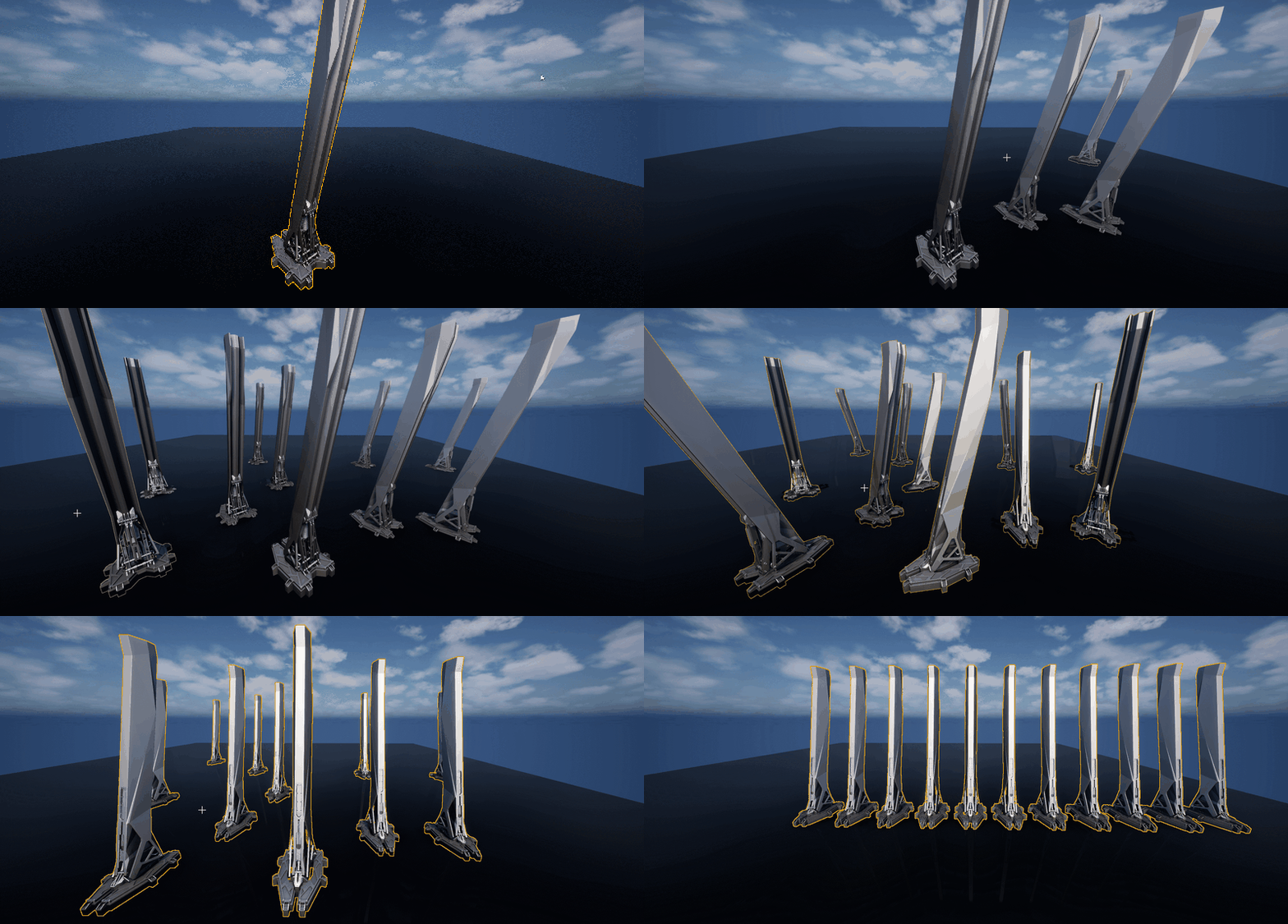
Overview of Implemented Commands
- SnapSelectedActorsToSurfaceUnderCursor() – Places the origin of selected actors onto the surface under the cursor.
- SnapActorsBottomToSurfaceUnderCursor() – Aligns the bottom of each actor’s bounding box to the surface under the cursor.
- RotateActors90Degrees() – Rotates selected actors by +90° or -90°, depending on context or input.
- ResetActorRotation() – Resets actor rotation to the identity quaternion (no rotation).
- CopyHoveredActorRotation() – Copies the rotation from the actor currently hovered by the cursor.
- DuplicateActorsToSurfaceUnderCursor() – Duplicates selected actors and places the copies onto the surface under the cursor.
- DistributeAlongX/Y/Z() – Evenly distributes actors along the specified axis, using rotation-aware bounding boxes for spacing.
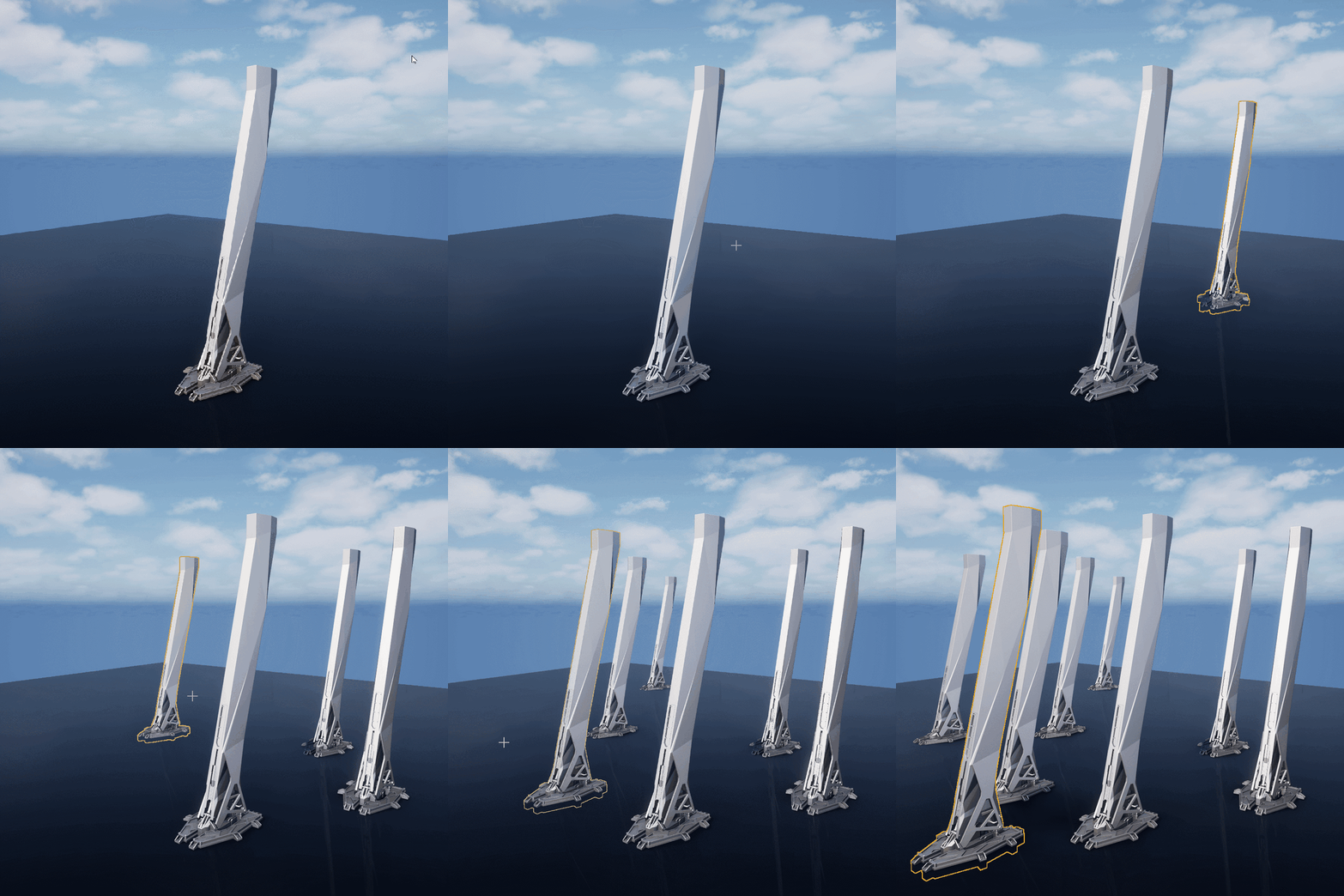
Duplicate Actor to Mouse Cursors closest surface
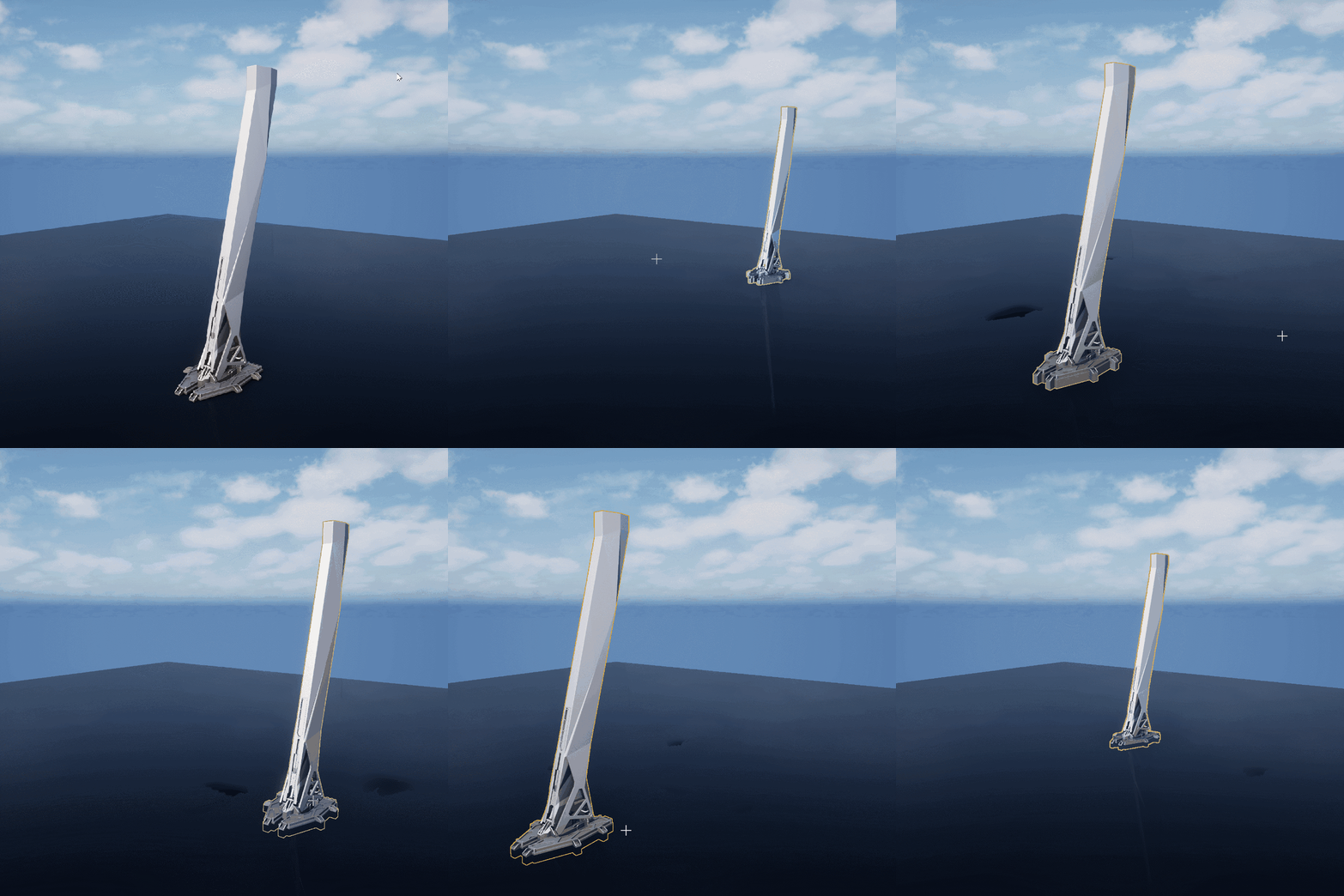
Place Actor on Mouse Cursors closest surface
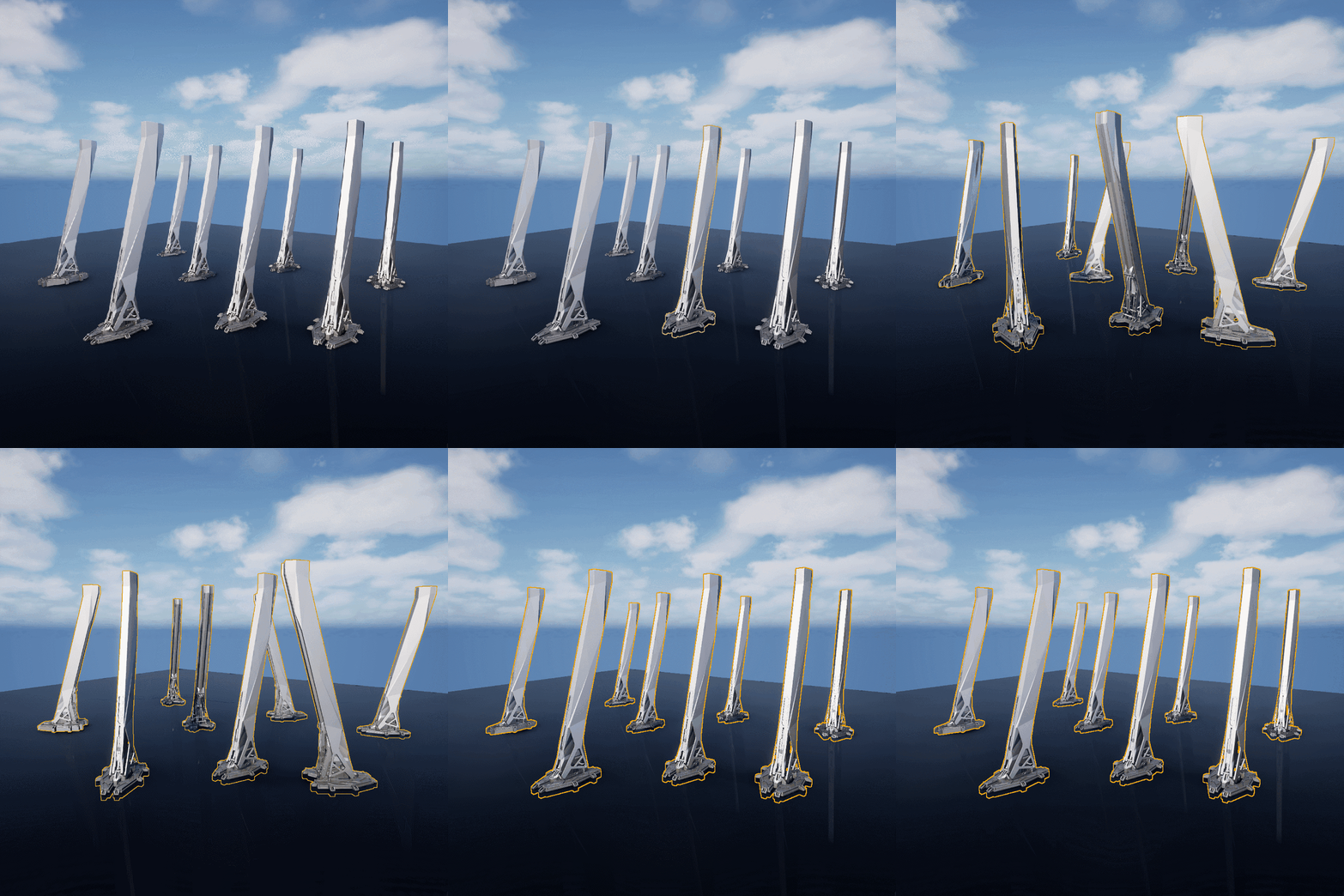
Rotate Actor in Random Rotation
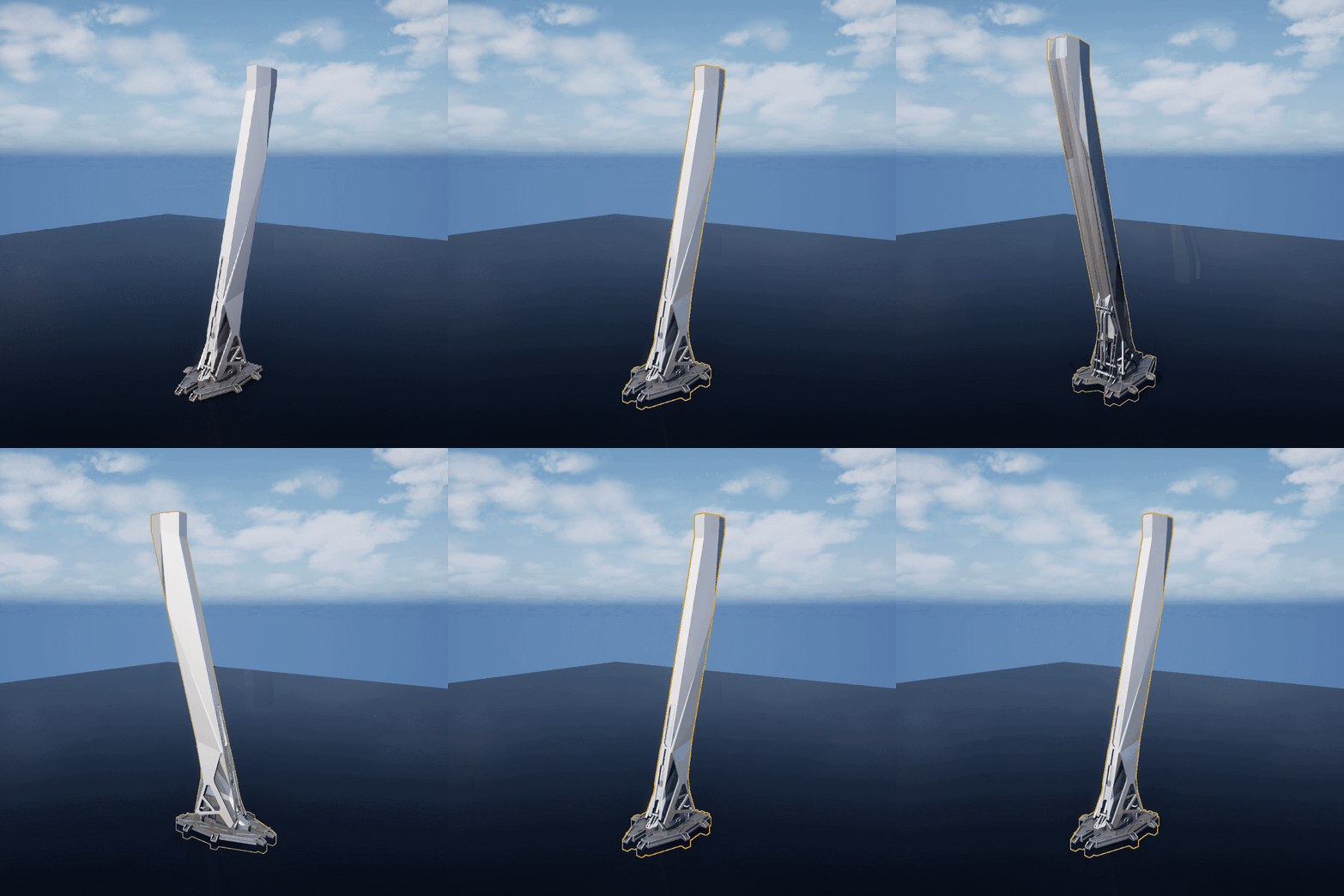
Rotate Actor 90 degrees in positive or negative direction
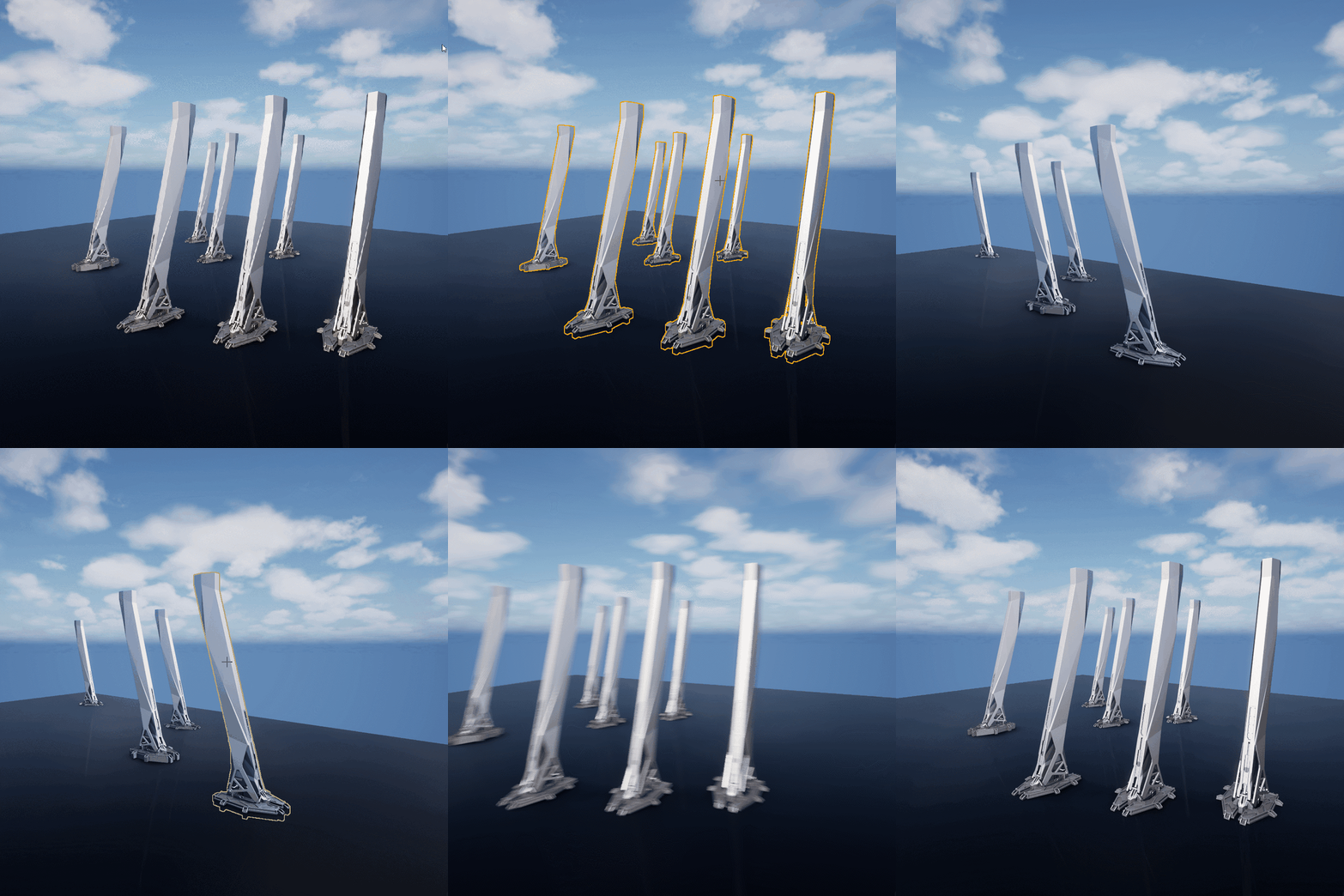
Select all actors within the editor viewport frustum that share the same Static Mesh component.
Breakdown
Modular Tool Architecture
All editor tools are structured into independent submodules. Each submodule is initialized from a central plugin entry point
 void FBUtilitiesModule::StartupModule()
{
	FBJUtilsUICommands::Register();

	ActorTransformEditorSubModule = MakeUnique&l<FActorTransformEditorSubModule>();
	ActorTransformEditorSubModule->Startup();
        ...
}
This example tool is wrapped in a class FActorTransformEditorSubModule that exposes Startup() and Shutdown() functions—called during the main plugin/module's initialization StartupModule().
 class FActorTransformEditorSubModule
{
public:
	/** Initialize the submodule (register commands, etc.) */
	void Startup();

	/** Cleanup when the submodule is unloaded */
	void Shutdown();
}
Hotkey-Driven Command System
Editor actions are registered using FUICommandList, allowing for fast keyboard interaction and custom menu bindings. Commands are mapped to functions using FExecuteAction::CreateRaw.
 void FActorTransformEditorSubModule::Startup()
{
    // Register menu entries, hotkeys, etc. here if needed

    // Create our command list
    CustomUICommands = MakeShareable(new FUICommandList());

    // Map hotkeys to actions
    CustomUICommands->MapAction(
    FBJUtilsUICommands::Get().SnapSelectedActorsLocationToHoveredSurface,
    FExecuteAction::CreateRaw(this, &FActorTransformEditorSubModule::SnapSelectedActorsToSurfaceUnderCursor)
    );

    CustomUICommands->MapAction(
    FBJUtilsUICommands::Get().SnapActorsBottomToSurfaceUnderCursor,
    FExecuteAction::CreateRaw(this, &FActorTransformEditorSubModule::SnapActorsBottomToSurfaceUnderCursor)
    );
        ...
}
Commands are defined with descriptions and hotkeys:
 void FBJUtilsUICommands::RegisterCommands()
{
    UI_COMMAND(
        SnapSelectedActorsLocationToHoveredSurface,
        "Snap Selected Actors to Surface",
        "Snaps all selected actors to the surface hovered by the cursor.",
        EUserInterfaceActionType::Button, FInputChord(EKeys::Q, EModifierKey::Alt | EModifierKey::Shift)
    );

    UI_COMMAND(
        SnapActorsBottomToSurfaceUnderCursor,
        "Snap Actor Bottom to Surface",
        "Aligns the base of actors with the surface under the cursor.",
        EUserInterfaceActionType::Button, FInputChord(EKeys::Q, EModifierKey::Alt)
    );
        ...
}
Snap Actor Bottoms to Surface Under Cursor
Here's a breakdown on one of the functions that is in the submodule
1. Identify the active viewport
We determine which level editor viewport currently has focus. This ensures we're interacting with the correct mouse cursor and scene.
for (FEditorViewportClient* Client : GEditor->GetAllViewportClients())
{
	if (Client && Client->IsLevelEditorClient() && Client->Viewport && Client->Viewport->HasFocus())
	{
		ViewportClient = Client;
		break;
	}
}
2. Cast a ray from the mouse cursor into the world
We compute a world-space ray from the mouse position to find the hit location on geometry.
FViewportCursorLocation Cursor(View, ViewportClient, ViewportClient->Viewport->GetMouseX(),
                                                    ViewportClient->Viewport->GetMouseY());
FVector RayOrigin = Cursor.GetOrigin();
FVector RayDirection = Cursor.GetDirection();
FVector RayEnd = RayOrigin + RayDirection * HALF_WORLD_MAX;
3. Perform a Line Trace
We ignore selected actors (to avoid self-intersection) and trace for visibility
for (FSelectionIterator It(GEditor->GetSelectedActorIterator()); It; ++It)
{
	if (AActor* Actor = Cast<AActor>(*It))
	{
		Params.AddIgnoredActor(Actor);
	}
}
If no surface is hit, we log a warning and exit
if (!ViewportClient->GetWorld()->LineTraceSingleByChannel(Hit, RayOrigin, RayEnd, ECC_Visibility, Params))
{
	UE_LOG(LogTemp, Warning, TEXT("Snap failed: No surface detected under cursor. Try adjusting the view."));
	return;
}
4. Begin a Scoped Transaction
GEditor->BeginTransaction(LOCTEXT("SnapActors", "Snap Actor(s) To Surface (Bottom Alignment)")); 5. Align each actor's base to the hit surface
FBox Bounds = Actor->GetComponentsBoundingBox(true); // Include non-colliding components
float OffsetZ = Actor->GetActorLocation().Z - Bounds.Min.Z;
FVector NewLocation = Hit.Location + FVector(0, 0, OffsetZ);
Actor->SetActorLocation(NewLocation);
6. Refresh Selection State
To ensure the gizmos update and selection stays stable, we deselect and reselect the actors
GEditor->GetSelectedActors()->Deselect(Actor);
GEditor->GetSelectedActors()->Select(Actor);
7. Final Notification
We notify the user visually that the snap was successful
BDebugHeader::BShowNotifyInfo("Snapped Actors origin to surface");View Full Actor Function
void FActorTransformEditorSubModule::SnapSelectedActorsToSurfaceUnderCursor()
{
	FEditorViewportClient* ViewportClient = nullptr;

	// Find the active level editor viewport
	for (FEditorViewportClient* Client : GEditor->GetAllViewportClients())
	{
		if (Client && Client->IsLevelEditorClient() && Client->Viewport && Client->Viewport->HasFocus())
		{
			ViewportClient = Client;
			break;
		}
	}

	if (!ViewportClient)
	{
		UE_LOG(LogTemp, Warning, TEXT("No active level viewport found."));
		return;
	}

	// Build a world ray from the mouse position
	FSceneViewFamilyContext ViewFamily(FSceneViewFamily::ConstructionValues(
			ViewportClient->Viewport,
			ViewportClient->GetScene(),
			ViewportClient->EngineShowFlags)
		.SetRealtimeUpdate(ViewportClient->IsRealtime()));

	FSceneView* View = ViewportClient->CalcSceneView(&ViewFamily);
	FViewportCursorLocation Cursor(View, ViewportClient, ViewportClient->Viewport->GetMouseX(),
	                               ViewportClient->Viewport->GetMouseY());

	const FVector RayOrigin = Cursor.GetOrigin();
	const FVector RayDirection = Cursor.GetDirection();
	const FVector RayEnd = RayOrigin + RayDirection * HALF_WORLD_MAX;

	// Trace the world
	FHitResult Hit;
	FCollisionQueryParams Params(SCENE_QUERY_STAT(SnapTrace), true);
	for (FSelectionIterator It(GEditor->GetSelectedActorIterator()); It; ++It)
	{
		if (AActor* Actor = Cast<AActor>(*It))
		{
			Params.AddIgnoredActor(Actor);
		}
	}

	if (!ViewportClient->GetWorld()->LineTraceSingleByChannel(Hit, RayOrigin, RayEnd, ECC_Visibility, Params))
	{
		UE_LOG(LogTemp, Warning, TEXT("No surface hit under cursor."));
		return;
	}

	// Apply the new location to all selected actors
	GEditor->BeginTransaction(LOCTEXT("SnapActors", "Snap Actor(s) To Surface"));

	TArray<AActor*> ReselectedActors;

	for (FSelectionIterator It(GEditor->GetSelectedActorIterator()); It; ++It)
	{
		if (AActor* Actor = Cast<AActor>(*It))
		{
			Actor->Modify();
			Actor->SetActorLocation(Hit.Location);
			ReselectedActors.Add(Actor);
		}
	}

	GEditor->EndTransaction();

	// Refresh gizmo
	for (AActor* Actor : ReselectedActors)
	{
		GEditor->GetSelectedActors()->Deselect(Actor);
		GEditor->GetSelectedActors()->Select(Actor);
	}

	BDebugHeader::BShowNotifyInfo(TEXT("Snapped Actors bottom to surface"));
}